

For players in the United Kingdom, the safest way to access bwin casino on a mobile device is to start with the operator’s official website or a verified app-store listing. An Android APK is an installation file, but downloading one from an unfamiliar site can expose your device to altered software, account theft or malware. Before installing anything, confirm that the app is intended for UK customers and that the operator’s current licensing and product availability meet your needs.
This guide looks at how to check an APK source, what to consider before installation, and how bwin’s mobile experience may fit into a cautious approach to online casino play. App features, download routes and game availability can change, so use bwin’s current official instructions rather than relying on old links or third-party download pages.
Start with the official source
Search results and social media posts can make unofficial APKs look convincing. A familiar logo or a page that uses bwin’s name does not prove that a file is genuine. Avoid download portals, file-sharing links, modified apps and messages promising bonuses for installing a special version. These files may request unnecessary permissions or capture login details.
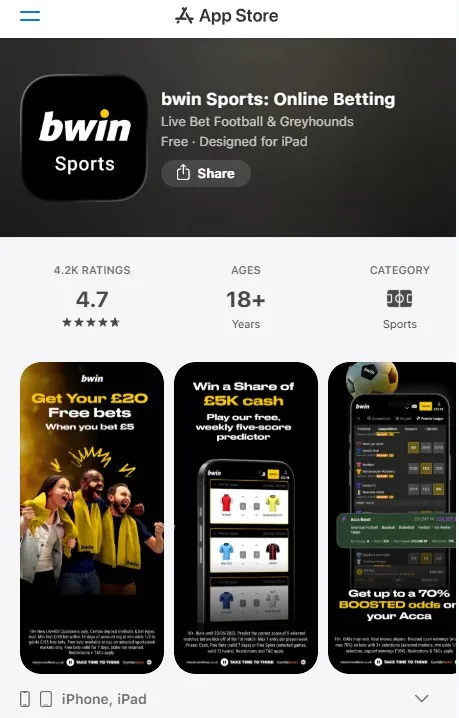
Open bwin’s official UK website by entering its address yourself or using a trusted bookmark. Look for its mobile or app section and follow the instructions shown there. If bwin directs Android users to an app store, use the store’s verified publisher listing. If it provides an APK directly, check that the download begins from a domain bwin identifies as official and that the page clearly explains how to install and update it.
Safety checks before installing
- Confirm the publisher: Check the developer or publisher name against the details on bwin’s official site.
- Use a secure connection: Make sure the official page uses HTTPS and that the address is spelled correctly.
- Review permissions: A casino app may need network access, but requests unrelated to its functions deserve scrutiny.
- Keep Android protected: Update your operating system and security software. Do not disable device protections simply to install a file.
- Check for updates: Install updates only through the route specified by bwin, and avoid repackaged “latest” versions from other sites.
- Protect your account: Use a unique password, secure your email account and never share one-time verification codes.
Android may warn that installing an APK from outside the Play Store requires permission for that source. Treat this as a meaningful security decision, not a routine box to click through. Only proceed if bwin’s current official instructions specifically require it and you have verified the source. Once installation is complete, revoke permission for the browser or file manager to install unknown apps if you do not need it for other trusted purposes.
Is the bwin app suitable for UK players?
A mobile casino app can make it convenient to browse games, manage an account and access customer support on a phone. The exact functions depend on the version, device and account status. Some services may also be available through bwin’s mobile website, which can be a practical alternative if you prefer not to install an APK. Compare the official options and choose the one that provides the clearest update and security process.
UK players should also check that the service is available to them and review the operator’s current terms before depositing. Gambling rules, identity checks, payment methods, promotions and game libraries can vary by location and change over time. Do not assume that an app downloaded while travelling or from a foreign website is suitable for use in Great Britain.
What to expect from casino play on mobile
Casino games are designed for entertainment, not as a way to make money. Slots, roulette, blackjack and other titles each have their own rules and mathematical characteristics. A mobile screen can make play feel quick and continuous, so take time to read the rules and pay attention to how long you have been playing. The app itself cannot improve a game’s odds, and a winning streak does not guarantee another win.
Before playing, decide on a spending limit that you can afford to lose and set a session time. Check the available safer-gambling controls, such as deposit limits, time reminders, cooling-off periods or self-exclusion. If gambling stops being enjoyable or begins to affect your finances or wellbeing, stop and seek support. In the UK, the National Gambling Helpline is available through GamCare.
Questions and answers
How can I tell whether an APK is genuine?
Use only the download route linked from bwin’s official UK website or a verified app-store listing. Confirm the publisher and web address, and do not rely on a file’s name, icon or claims made by the site hosting it. If you are unsure, do not install it; contact bwin through the support details published on its official site.
Should I install an APK if my phone warns me?
A warning may appear because the file comes from outside the device’s usual app store. It does not automatically mean the file is malicious, but it does mean you should verify the source and consider whether installation is necessary. Never turn off security protections or grant broad permissions just because a download page tells you to.
Can I use the mobile website instead?
If bwin’s official UK site offers a mobile-friendly browser experience, it may let you use relevant services without installing an APK. Features can differ from the app, so check the current website for details. A browser option is not automatically risk-free: use the correct address, keep your browser updated and sign out on shared devices.
How often should I update the app?
Install updates when bwin announces them through its official channel, especially when they include security fixes or compatibility improvements. The mobile gaming app update frequency can vary by operating system, app distribution method and the changes being released. Enable updates only through a trusted store or follow bwin’s verified instructions for an official APK; do not use third-party update tools.
Final checklist
- Open bwin’s official UK website and confirm the current app instructions.
- Check that the service is available to you and review its terms and safer-gambling tools.
- Download only from an official or verified source.
- Review permissions, keep your device updated and protect your login details.
- Set limits before playing, and stop if gambling is no longer enjoyable.
Downloading the bwin casino APK safely is mainly a matter of source verification and careful device security. If you cannot confirm that a file is official, do not install it. Use the trusted mobile website or seek guidance from bwin support instead, and treat any casino play as paid entertainment with clear personal limits.